
Editor Help
Creating & editing a page
Write a well-structured page, add helpful layouts and prepare a draft for review.
A good page answers one clear question. Start with the destination space and parent page, write the essential steps, and add visual elements only when they help the reader.
Before you start
- Editor access to the space.
- A clear title, source information and any images or attachments you need.
1. Set up the page
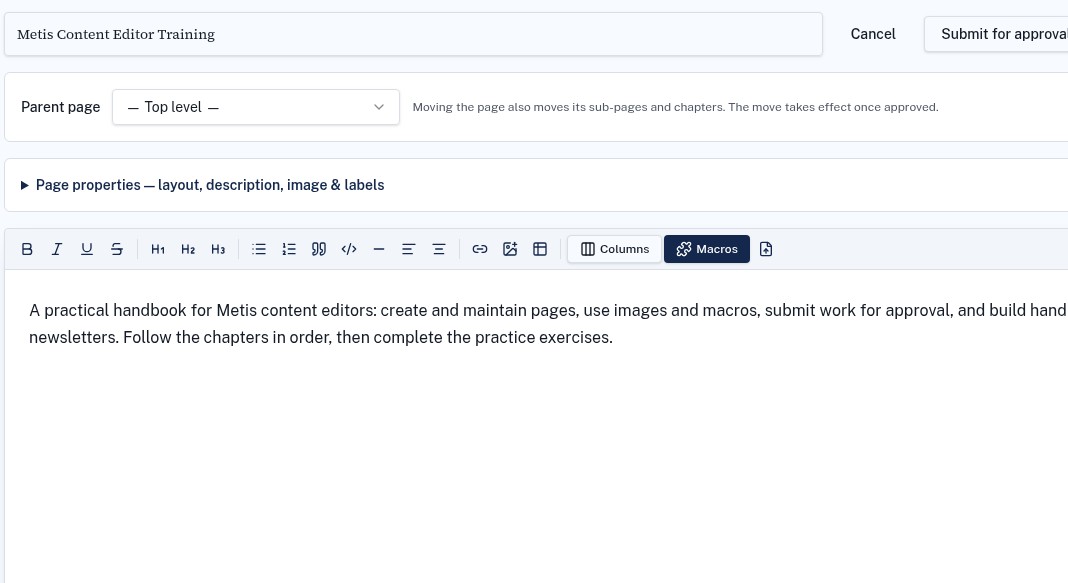
- 1Open the destination space and start a new page, or open an existing page and choose Edit.
- 2Enter a descriptive title and select the correct parent page.
- 3If a template is available, use it as a starting point and replace its sample text or variables.
- 4Expand Page properties to review the description, layout, image and labels.
2. Make the content easy to scan
- Use headings to separate tasks and topics.
- Use numbered lists for steps that must happen in order; use bullets for options or checks.
- Keep paragraphs short and use meaningful link text.
- Add images with a short explanation of what readers should notice.
3. Add layouts and macros
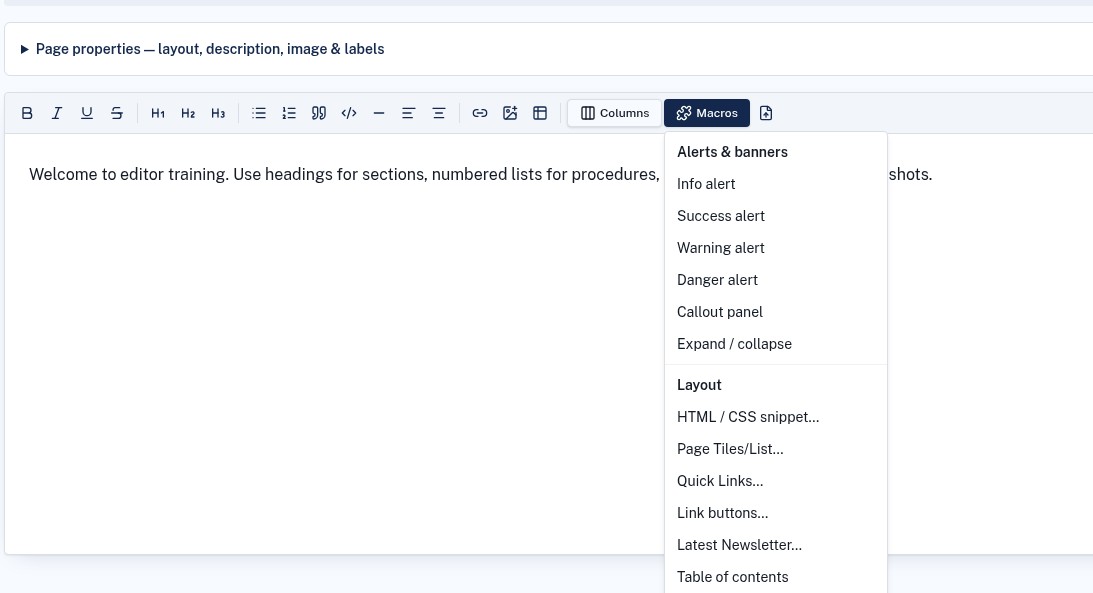
Use Columns for side-by-side content and Macros for alerts, link buttons, Page Tiles/List and sliders. Configure each inserted macro for the intended source and audience. Preview the page at a narrow width before submitting.
4. Submit the finished draft
Wait for any uploads to finish, review the links and formatting, then choose Submit for approval. Editors submit a revision; it is not published to readers until approved.
Troubleshooting
I cannot see Edit or create content
You may have Viewer access. Ask the Space Admin to check your access on the space and page.
My changes are not visible to readers
Check whether the revision is still pending approval. Readers continue to see the last approved version.