
Editor Help
Create, submit & publish: quick reference
Follow a page revision from your draft through administrator review to the published version.
Editors & reviewers4 min read
For standard pages, submission and publication are separate actions. You prepare a revision; a Space Admin reviews it before it replaces the version readers see.
Before you start
- A completed draft in a space where you have Editor access.
- Finished uploads and checked links.
1. Submit your revision
- 1Create a new page or open an existing page in Edit.
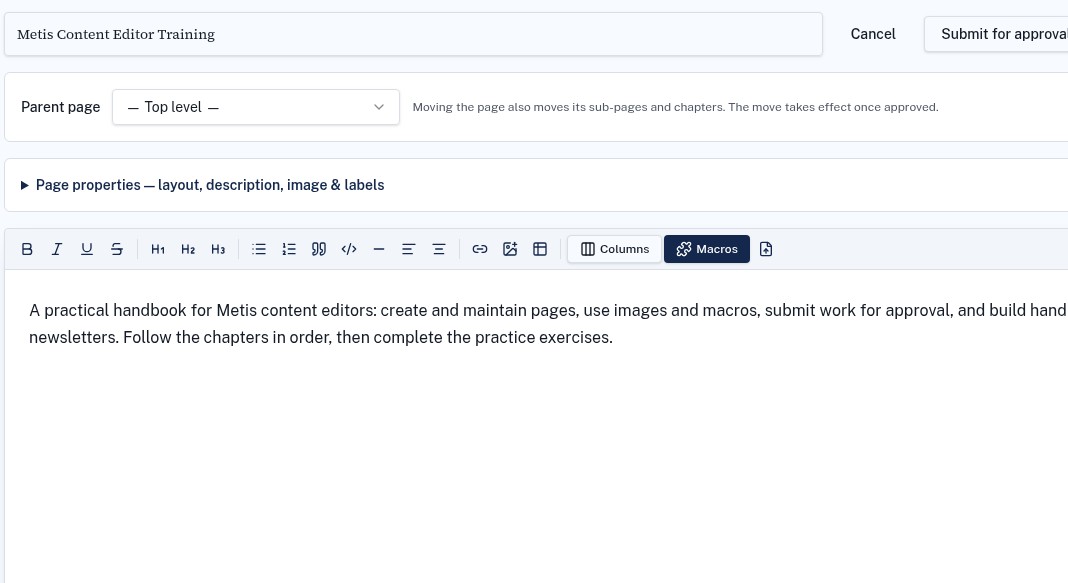
- 2Check the title, parent page, content, labels and attachments.
- 3Choose Submit for approval and confirm the submission completes.
- 4If you reopen a pending submission and submit again, the updated draft replaces your pending revision.
2. Wait for review
The Space Admin reviews the proposed content in Approvals. Until approval, an existing page keeps its last published content. New standard pages need approval before readers can use them.

3. Check the published result
- 1If rejected, read the feedback, edit the draft and submit the corrected revision.
- 2When approved, reopen the page and verify the content, links and images.
- 3A Space Admin or Super Admin may have Approve & publish controls; those are not available to every Editor.
Troubleshooting
The published page still shows old content
Check the approval queue and revision status before making another edit. An unapproved revision does not replace the published page.