
Editor Help
Spaces, pages & handbooks
Build a navigable knowledge structure, from departmental spaces to step-by-step handbooks.
Editors & Space Admins5 min read
Use a space for a team or subject, pages for individual topics, and a handbook when readers should move through connected chapters. A useful structure makes knowledge easier to find and maintain.
Before you start
- Editor access to the destination space.
- An agreed outline and an administrator-approved location for new content.
Choose the right structure
- Space: a home for related knowledge with its own membership and settings.
- Page: a single procedure, policy or reference topic, optionally nested beneath a parent page.
- Handbook: a cover page with child chapters for ordered training or long-form guidance.
Build a handbook
- 1Create content in the destination space and choose Handbook as its type.
- 2Write a cover that introduces the subject and submit it for approval.
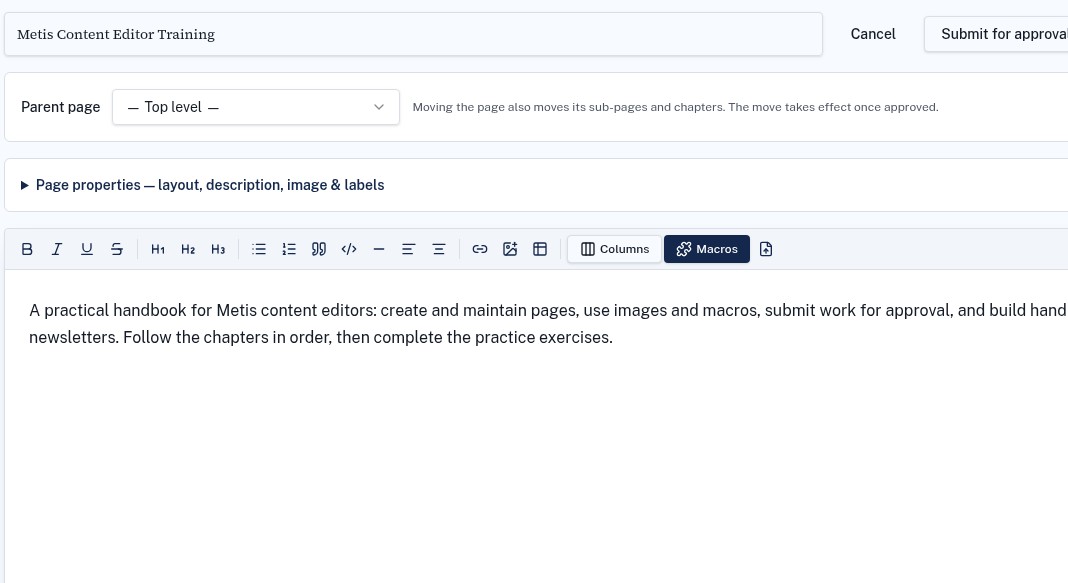
- 3After the cover is approved, create chapters as child pages beneath it.
- 4Submit chapter revisions for review, then check the published cover and chapter navigation.
Add useful page navigation
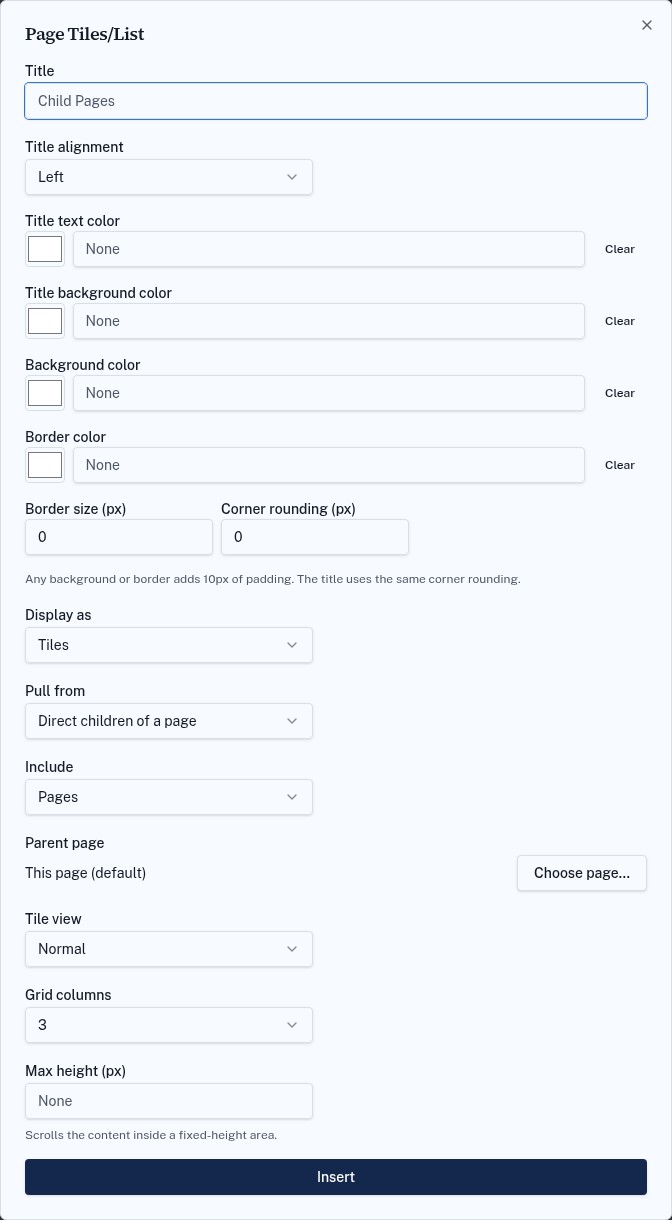
Use Page Tiles/List to surface direct child pages or published pages with selected labels. Choose a short title, a suitable grid and the parent page. Readers only see content they are allowed to open.
Troubleshooting
A chapter is not under the handbook
Check its parent page in the editor. Moving a page and its children takes effect after the change is approved.
A page is missing from a tile list
Check publication status, source page or labels, and the reader's permissions.